Made by Beyond Organic Studios & Systems

The end of the world doesn't need to be the end of your world.

Hi, I'm Matteo Maclean. I was raised in Africa, and I lived in and built a homestead in the bush of Zambia.

Living that way teaches you that what you know, and what you can do with your own hands, matters more than any signal. I built S.O.S. with families in mind, starting with my own: the answers we'd need on a drive we own, in plain words, with the source named, so nobody in the house has to guess when the internet is gone.
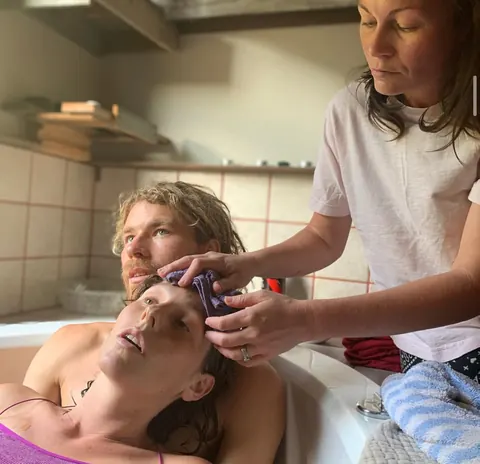
Matteo sits in a bath at home holding his wife in labour, while another woman cools her forehead with a cloth.
Holding my wife through the home birth of our children.

If you have a question before you buy, email me at systems@beyondorganicstudios.com. I read every one.

Matteo MacleanBeyond Organic Studios & Systems
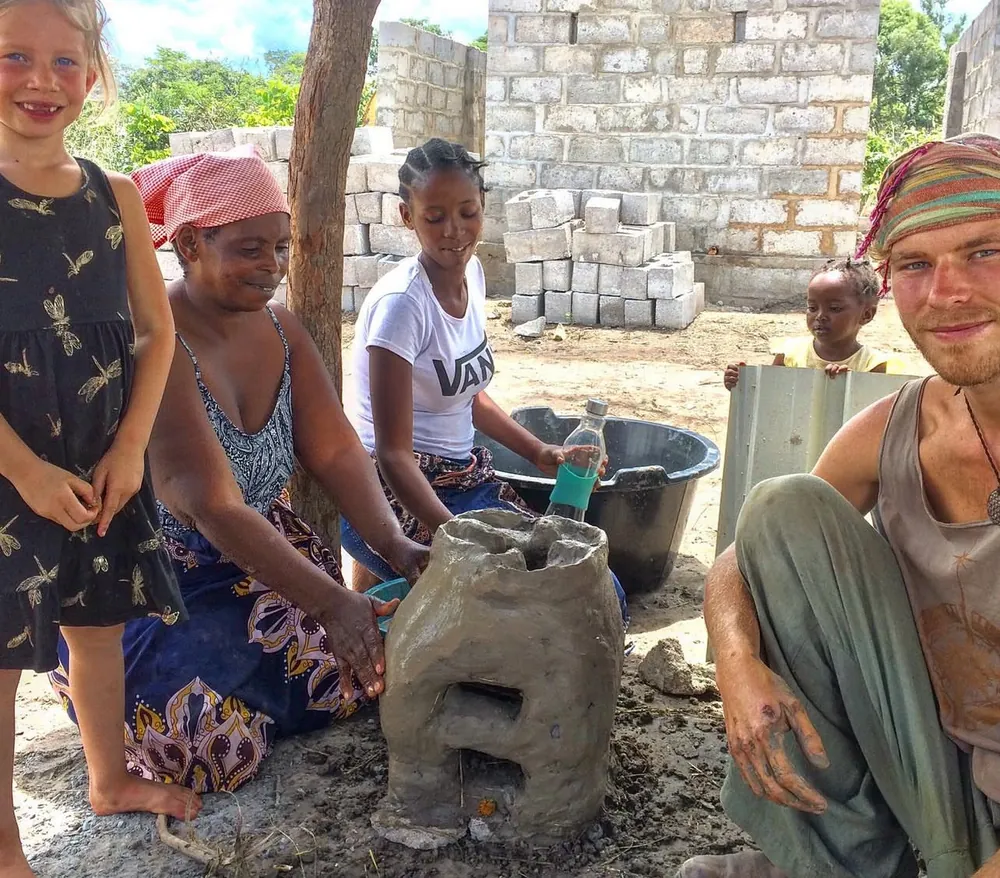
Matteo, in a headscarf and muddy hands, kneels beside a clay rocket stove that local women are shaping by hand in Zambia, with a smiling girl and a toddler looking on.
Building a clay rocket stove with neighbours in Zambia.
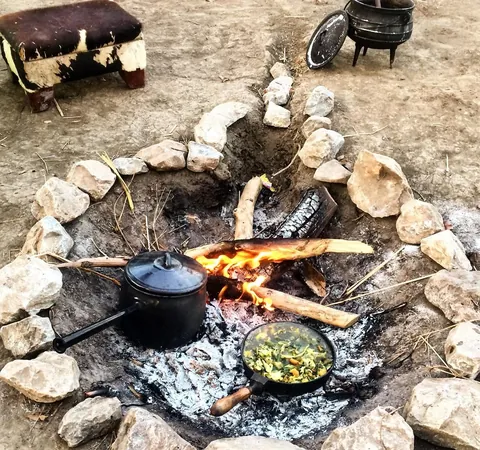
A pot and a pan of greens cooking on an open fire in a stone-ringed fire pit, with a three-legged cast-iron pot nearby.
Dinner on the fire pit.
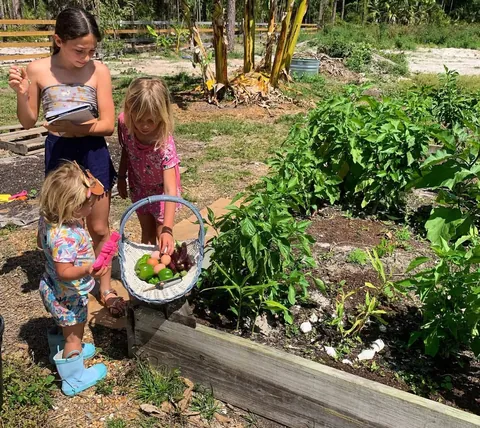
Three children gathering peppers, eggs and eggplants into a basket beside a raised garden bed.
The kids bringing in the harvest.

Most of what we know how to do, we look up.

Big changes are happening in the world, and the systems we lean on every day are more fragile than they look. When the grid goes down or the internet drops, for a week or for longer, most of us lose access to everything we'd need to know: how to make water safe to drink, treat a wound, keep food from spoiling, grow food and keep a household going. Few of us carry that knowledge in our heads, and the moment you need it is the moment you can't look it up.

S.O.S. is that knowledge, already in your house: a complete survival library that runs on your own computer from your own drive, with no internet and nothing sent anywhere. Survival knowledge that works without the internet.

S.O.S. at a glance

S.O.S. (Software for Offline Survival) is an offline survival library on a drive you own: medical guides, water, food, repair, maps, all of Wikipedia and books. Type a question and the helper gives the steps. No internet needed. It runs on Windows and Mac. Phones and tablets in the house open it through your Wi-Fi router, with no internet service needed. $47, paid once (launch price; $97 from January 1, 2027), with a 30-day money-back guarantee and lifetime updates.

Updated November 2026.

One computer. Every phone in the house.

Set S.O.S. up on one Windows or Mac computer, and everyone at home can open it on their own phone through your Wi-Fi router. The router box makes a home network all by itself, so all you need is the router switched on. You don't need an internet plan or internet service.

  1. Set it up on one computer

    Plug in the drive and double-click Start on any Windows or Mac computer. Leave S.O.S. running.

  2. Open it on your phone

    S.O.S. shows a web address on the computer screen. Type it into your phone's browser.

  3. Every phone in the house

    Each person opens the same address on their phone, whenever they're connected to your Wi-Fi router and the computer is on.

Do I need internet service?
No. Your phones and the computer talk to each other through your Wi-Fi router, which makes a home network on its own. If the internet service is cut off or the provider is down, the router still connects the house as long as it has power. You only need internet to download S.O.S., add libraries and get updates.
What if the power is out?
The computer and the router both need power. A laptop runs on its own battery, and a portable power station can keep the router running too (see keeping a laptop running below). With no router at all, S.O.S. still works on the computer itself.
Which phones work?
Any iPhone or Android phone, and tablets too, with a web browser. There's nothing to download from an app store: S.O.S. opens in the phone's browser. The phone has to be connected to the same Wi-Fi router as the computer running S.O.S.

Everything that's inside

This is the full system you download, with every library included in the price.

Ask

Ask a question, get the steps

Type in plain words: "how do I splint a wrist?", "what can I plant in March?". A built-in helper finds the answer in the library on your drive and shows which guide it came from. It runs entirely on your computer, works offline, and never sends your questions anywhere.

7M+

All of Wikipedia

Every English article, with pictures, plus Wikivoyage travel guides. Searchable, offline.

Optional, about 130 GB
Health

Medical library

WikiMed and MDWiki medical encyclopaedias, field medicine guides, post-disaster and safe-water guides, and medical Q&A.

About 6 GB
Hands

Practical skills

iFixit repair guides, Appropedia, Energypedia, Wikibooks, and years of real answers from DIY, gardening, cooking, outdoors, electronics, ham radio and homebrewing communities.

About 20 GB
1000s

Survivor Library

Thousands of historical books on farming, trades, medicine and making things by hand, from the days before electricity.

Optional, about 220 GB
Classics

Project Gutenberg shelves

Public-domain books on agriculture, technology, science and medicine.

About 20 GB
Earth

A world map, street by street

The whole planet from OpenStreetMap, zoomable to your street, with no signal needed. Mark water, shelter, gardens and helpers on your own copy.

Optional, about 140 GB
14

Help now cards

Severe bleeding, CPR, choking, heat stroke, heat exhaustion, hypothermia, safe water, frozen pipes, carbon monoxide, food without power, hurricanes, snake bites, burns, radio. Step by step, sourced, and printable.

126

The Prepare list

What to stock up on in 15 groups, from a family go-bag, water and staples to medical, seeds and protecting your tech. Set your household size and it works out the amounts for two weeks, three months and a year. Tick it off as you go.

3,000+

Regional guides

Natural building, wild plants and growing guides by state, plus public-domain government manuals and farmers' bulletins.

Home

Community, Breathe and more

Map offers and needs with your neighbours, a guided breathing page for hard moments, and a household notes space.

Guide

A 15-page setup guide

Step by step for Windows and Mac, written for people who don't do computers.

Everything, about 550 GB.
Pick what fits your drive. Start with the helper and medical library at about 10 GB and add more any time.

Get it for $47

What it looks like

Calm screens, big type, and nothing technical in the way. Take the 90-second tour.

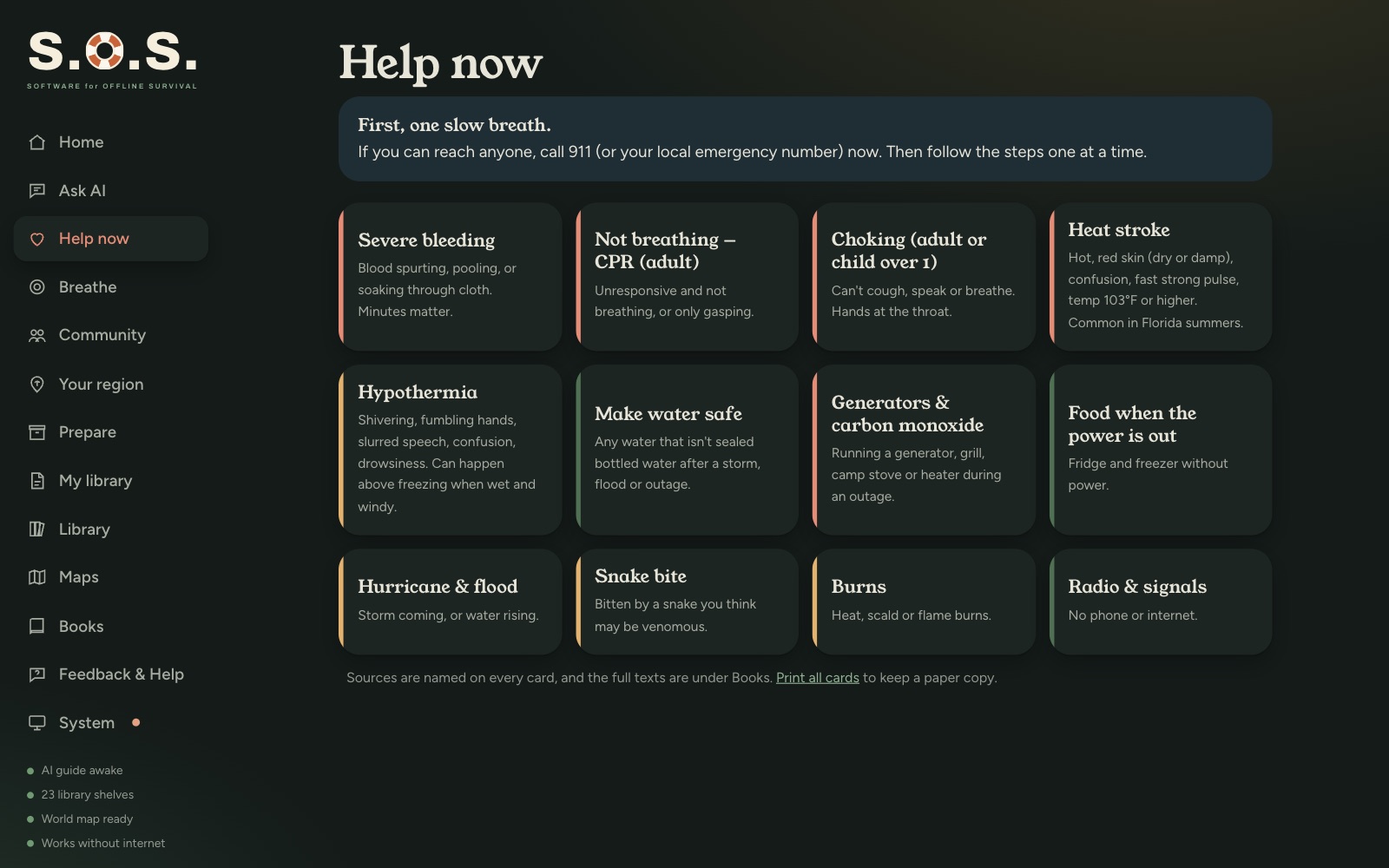
The Help now screen: cards for severe bleeding, CPR, choking, heat stroke, hypothermia, safe water, generators, food without power, hurricanes, snake bites, burns and radio.
Help now opens instantly, with no searching.
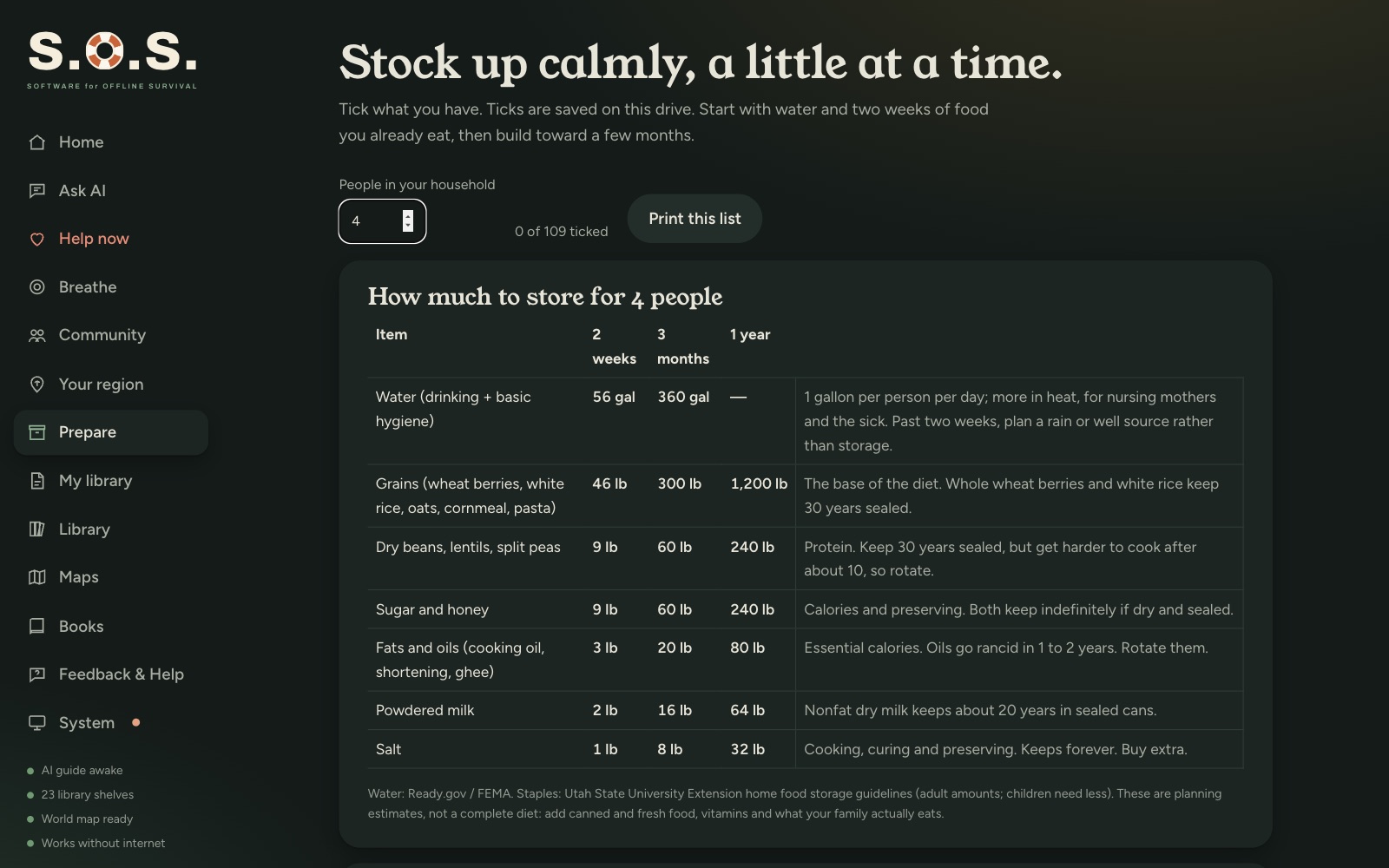
The Prepare screen: a table of how much water, grain, beans, sugar and oil to store for two people for two weeks, three months and a year.
The Prepare list does the maths for your household.

Make it yours

S.O.S. is a starting library, and you can add the things only your family knows.

  • Add any files, any size. PDFs, photos, scanned documents, manuals for your own generator. Drag them in or pick a whole folder.
  • Nothing gets overwritten by accident. If a file with the same name is already there, it asks you: rename, replace or skip.
  • Write household notes. Medications, contacts, meeting places, where the water valve is. The helper reads your notes when you ask.
  • Share it on your Wi-Fi. Every phone in the house can open it through your Wi-Fi router while the computer is on, with or without internet service.

Lifetime updates. It keeps growing.

We're always adding more of the knowledge we think you might need. Every update is free for life, and downloads whenever you're online.

  • New knowledge, free. We keep researching and adding guides, books and skills. When you're online, S.O.S. checks for anything new.
  • A shelf of free trusted guides. Some of the best books on birth, health and more can't be sold, so we point you to them instead. One click downloads each one straight from its publisher, for your own use.
  • App updates, free. New features and fixes arrive with one click. Your files and notes are never touched.
  • Fresh libraries. Wikipedia, the medical library and the map get newer editions. Download them when it suits you.
  • A gentle notice. A small note on the home screen tells you when something's ready. Turn checking off any time.
  • Downloads pick up where they stopped. Big libraries resume after a dropped connection and are checked for errors before use.

Three steps, then it's yours

You don't need an account or a subscription, and it runs straight from the drive.

  1. Download

    Right after checkout you get your download link, your licence key and the setup guide.

  2. Put it on a drive

    Copy it onto a portable external hard drive or SSD (our recommendation). Then pick the libraries you want and let them download.

  3. Double-click Start

    After that, it works without the internet, wherever you are. Keep the drive with your emergency kit.

Which drive do I need?

If you wantSpaceA drive that fits
The helper and the medical libraryabout 10 GBAny external drive, or a 32 GB USB stick
Plus practical skills and classic booksabout 50 GB256 GB external drive
Plus all of Wikipedia and the world mapabout 320 GB512 GB external drive
Everything, including the Survivor Libraryabout 550 GB1 TB external drive

We recommend a portable external hard drive or SSD. It holds the whole library, it's faster and longer-lasting than a USB stick, and you can plug it into any Windows or Mac computer and keep it in your emergency kit. You can also put S.O.S. on your computer's own drive, as long as it has the space.

Windows

Windows 10 or 11, 64-bit.

Mac

macOS 14 Sonoma or newer, Apple or Intel chip.

Memory

8 GB of RAM for the helper. The library and maps work on less.

The open book

Where every part comes from, what isn't included, and what S.O.S. can't do. You should know exactly what you're buying.

Part
Source
Licence
S.O.S. app, Help now cards, Prepare list
Beyond Organic Studios & Systems
Open-source app code (AGPL-3.0). Card sources are named on every card.
AI helper
Gemma 3 by Google, run with Ollama
Gemma Terms of Use. Ollama: MIT.
Wikipedia, WikiMed, Wikibooks, Wikivoyage, MDWiki
Wikimedia and WikiProjectMed volunteers, packaged by Kiwix
CC BY-SA. Free to share.
iFixit, community Q&A sites
iFixit and Stack Exchange communities, packaged by Kiwix
CC BY-NC-SA and CC BY-SA. S.O.S. downloads these for you straight from Kiwix. We don't sell them.
Survivor Library, Project Gutenberg
Public-domain historical books.
World map
OpenStreetMap contributors, built by Protomaps
Open Database Licence (ODbL).
Government manuals and bulletins
US federal agencies, state extension services
Public domain, or free for public education.

So what are you paying for? The work of bringing it all together, the helper wired to the library, the Help now and Prepare tools, the setup guide, updates, and the fact that it all works offline from one double-click. Much of the library itself is free to the world, and we credit every source inside the app.

What's not included, and why

  • No pirated books. Plenty of "survival bundles" are stuffed with copied paid manuals. We only include what we're allowed to share.
  • No Red Cross or other restricted first-aid manuals on the drive. Their licences don't allow it. The Help now cards are written in our own words from public guidance (CDC, the Red Cross, the American Heart Association and others), and each card names its sources.
  • No gear, no hardware. The drive is yours to choose. The table above shows what size you need.

What S.O.S. can't do

  • For educational purposes only. S.O.S. gathers information from many sources, and it may not be complete, accurate or up to date. It gets better with every free update, as we add, check and correct what's inside.
  • It's a library, not a doctor. It doesn't replace a doctor, emergency services or hands-on first-aid training. In an emergency, call 911 (or your local emergency number) first if you can reach anyone.
  • Take a first-aid and CPR course. The Help now cards are a reminder in the moment, not a substitute for practice.
  • The helper can be wrong. That's why it always shows its sources, so you can check the original. Health answers are checked by hard safety rules before they're shown, and outdated advice in old books gets a warning above it.
  • Never eat a wild plant or mushroom unless an experienced local forager has confirmed it.
  • The big libraries take time to download, from hours to a couple of days on slow internet. Set it up before you need it.

Not ready yet? Start here

Get the free checklist and work through it together.

The free checklist

The full 126-item Prepare list and the 14 Help now cards as a printable PDF. Stick it on the fridge.

Questions

Who is S.O.S. for?
Households who want to be ready, calmly: families and parents, homesteaders, rural and off-grid homes, faith communities, and anyone in hurricane, wildfire or winter-storm country. It's an educational library you own, for learning and reference, and it isn't a medical device.
Do I need to be good with computers?
No. If you can copy a file and double-click, you can run S.O.S. The setup guide walks you through every step, for Windows and Mac.
Does it really work with no internet?
Yes. Once your libraries are downloaded, everything runs from the drive on your own computer, including the helper and the map. You only need internet to download it, add libraries and get updates.
Is anything I type sent anywhere?
No. The helper runs on your computer. Your questions, notes and files stay on your drive. The only exception is a message you choose to send us from the Feedback & Help tab, and only when you press Send.
Can I put it on more than one drive?
Yes, for your own household. Keep one copy at home and one in the car or the go-bag.
Does it use AI?
Yes. The helper that finds answers for you is an offline AI (Gemma, by Google) stored locally, right alongside the library wherever you put S.O.S., on your external drive or your computer. It never connects to the internet, has no account and no company on the other end, and only answers from the library on your drive. If you would rather not use it, you don't have to: the library, Help now cards, Prepare tools and map all work without it.
Do I need a laptop?
You need a Windows or Mac computer, and a laptop is the best choice. It has its own battery, it's easy to charge without the grid, and it fits in a go-bag next to the drive. A desktop works fine at home while the power is on. An older computer is fine if it meets the requirements above; the helper needs 8 GB of memory.
How do I keep a laptop running when the power is out?
Most laptops use about 20 to 60 watts. A few ways to keep one going:
  • A portable power station, a big rechargeable battery with outlets. A 500 Wh unit runs a typical laptop for roughly 8 to 14 hours, and a folding solar panel recharges it in the sun.
  • Your car, with a 12-volt USB-C car charger or a small inverter, with the engine running.
  • A laptop power bank rated 60 to 100 W, if your laptop charges by USB-C.
To stretch a charge, turn the screen down, close other programs, and use the library and Help now cards when you don't need the helper, which uses the most power. S.O.S. includes off-grid power guides from Energypedia and Appropedia.
Does it work on a phone or tablet?
Yes, through your computer. S.O.S. runs on a Windows or Mac computer, and while it's running, every phone and tablet in the house can open it in the browser through your Wi-Fi router, with no internet service needed. See One computer, every phone in the house. It doesn't run on a phone by itself yet; we're building an S.O.S. app for that too.
Can I trust the answers?
Use S.O.S. the way you'd use a good reference book. The Help now cards and the checked guides come from sources like the CDC, FEMA, the USDA and the Red Cross, and every answer from the helper shows where it came from, so you can read the page yourself. Health answers are checked by hard safety rules before they're shown, and outdated advice in old books gets a warning above it. The helper can still be wrong. It's for educational purposes only, and in an emergency, call 911 first if you can.
How do updates work?
When your computer is online, S.O.S. checks for new versions of the app and the libraries and shows a small notice. Updates are free and you choose when to install them. Your files and notes are never changed.
What's the refund policy?
If it isn't right for you, email us within 30 days of buying for a full refund, no questions asked. A refund cancels your licence key, which turns off updates and new library downloads. See the refund policy.
Why is it $47 now and $97 later?
$47 is the launch price for early buyers. On January 1, 2027 it goes to $97. Buy at the launch price and every update is still yours.

Have the answers before you need them.

One download. A holistic survival library and a world map that work anywhere, with no internet.

$47pay once, lifetime updates

Launch price. Goes to $97 on January 1, 2027.

  • Secure checkout by Stripe
  • Instant download
  • 30-day money-back guarantee

On your phone? S.O.S. is set up on one Windows or Mac computer, then every phone in the house connects through your Wi-Fi router, with no internet service needed. Buy now and we email your download link, or send yourself a link for later.

Proceeds help our ministry buy land for a family homestead and community.

$47 launch price Get S.O.S.